







You tap the spot on your screen where your trusted scanner app used to be, but nothing happens. The icon is gone. You didn’t delete it, and you certainly didn’t ask for it to be removed. A cold wave of anxiety hits you as you realize your digital tools are vanishing into thin air.
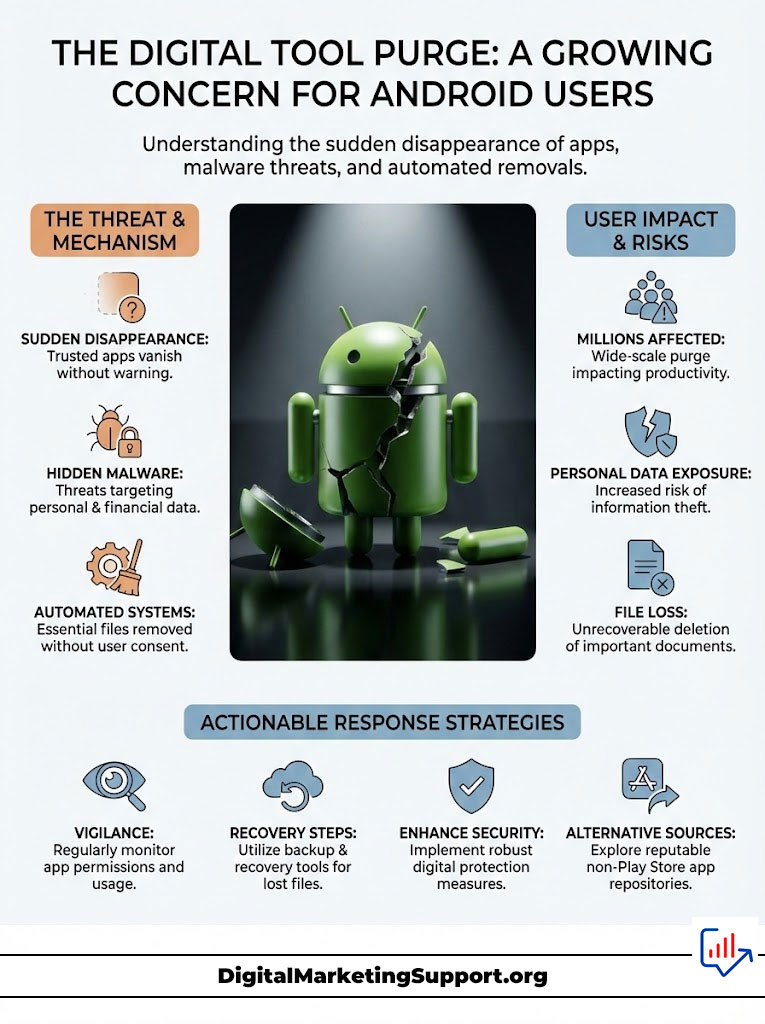
This isn’t a glitch in your phone’s matrix. It is a calculated, aggressive purge happening right now to millions of Android users. I watched my own library shrink overnight, leaving me scrambling to recover essential utilities I paid for.
The Play Store is no longer the safe haven we thought it was. From hidden malware wiping bank accounts to a ruthless automated sheriff deleting innocent files, your phone is under siege. But there is a secret way to fight back and reclaim what is yours.
Want to double down on this topic? Read the full breakdown here: Google Deletes Apps From Play Store: Reasons & Solutions
The Silent Assassin: Why Your Apps Vanish
It feels like theft. One day you have a utility you rely on, and the next, Google’s automated systems have scrubbed it from existence. I found out the hard way that Google scans over 125 billion installed apps daily, looking for reasons to pull the trigger.
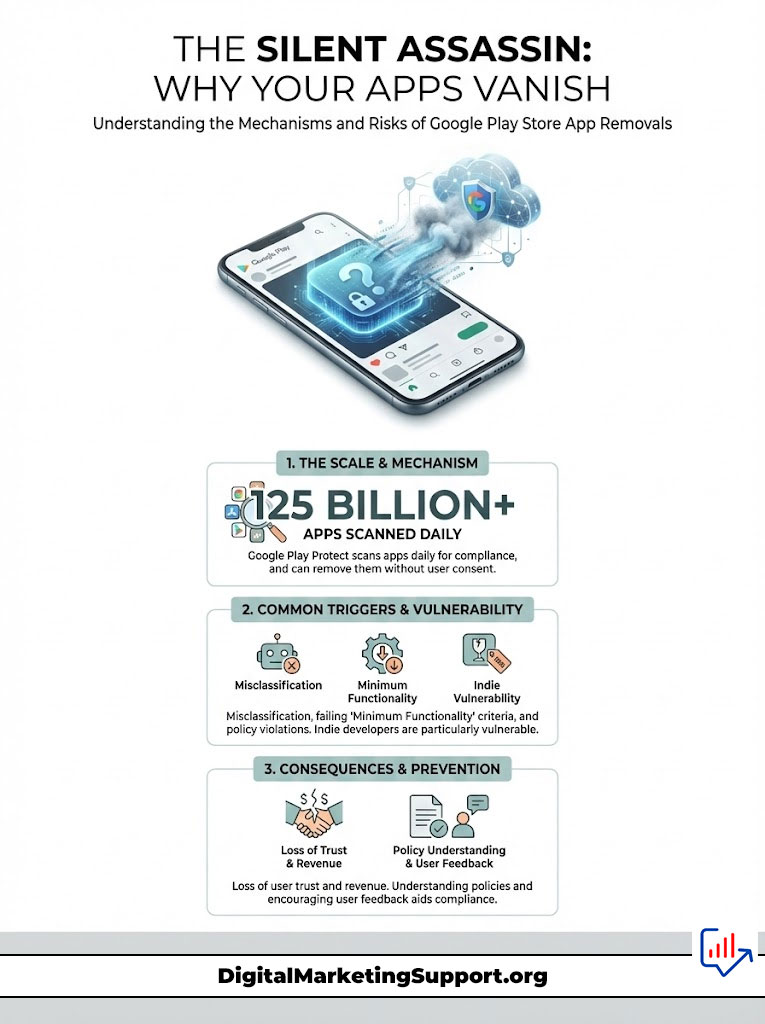
This isn’t just about cleaning up the store. Google Play Protect has the power to remotely uninstall software from your device without your permission. It acts as judge, jury, and executioner, often mistaking legitimate indie projects for dangerous code.
The “Minimum Functionality” Trap
- Web Wrappers: Apps that just load a website are instantly killed.
- Broken Features: If an app crashes twice during review, it is gone.
- Abandonware: Developers who don’t update their ID are wiped out.
The Malware Nightmare: Is Your Money Safe?
The most terrifying reason for these deletions is a very real threat to your wallet. I dug into the security reports and found that the “Anatsa” banking trojan is currently rampant. This isn’t a simple virus; it is a financial predator.
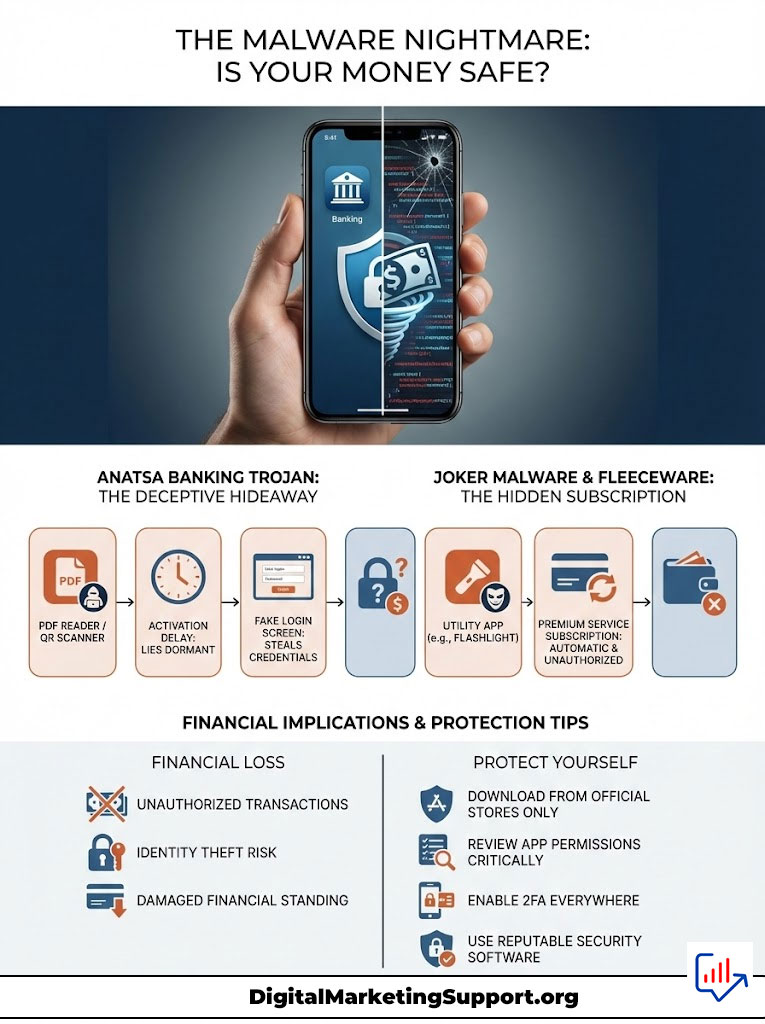
Anatsa hides inside innocent-looking PDF readers or QR scanners. It waits days before activating, fooling you into a false sense of security. Once it wakes up, it overlays fake login screens on your banking apps to steal your credentials.
The “Fleeceware” Scam
Another horror story involves “Joker” malware. I realized these apps don’t steal passwords; they steal straight from your phone bill. They quietly subscribe you to premium services in the background, bleeding your finances dry while the app sits idle on your screen.
How I Recovered My Deleted Apps
When my favorite file manager disappeared, I refused to accept defeat. The Play Store said it was gone, but I found a backdoor. My first step was checking my “Library & devices” history, where some “unpublished” apps still linger for past users.
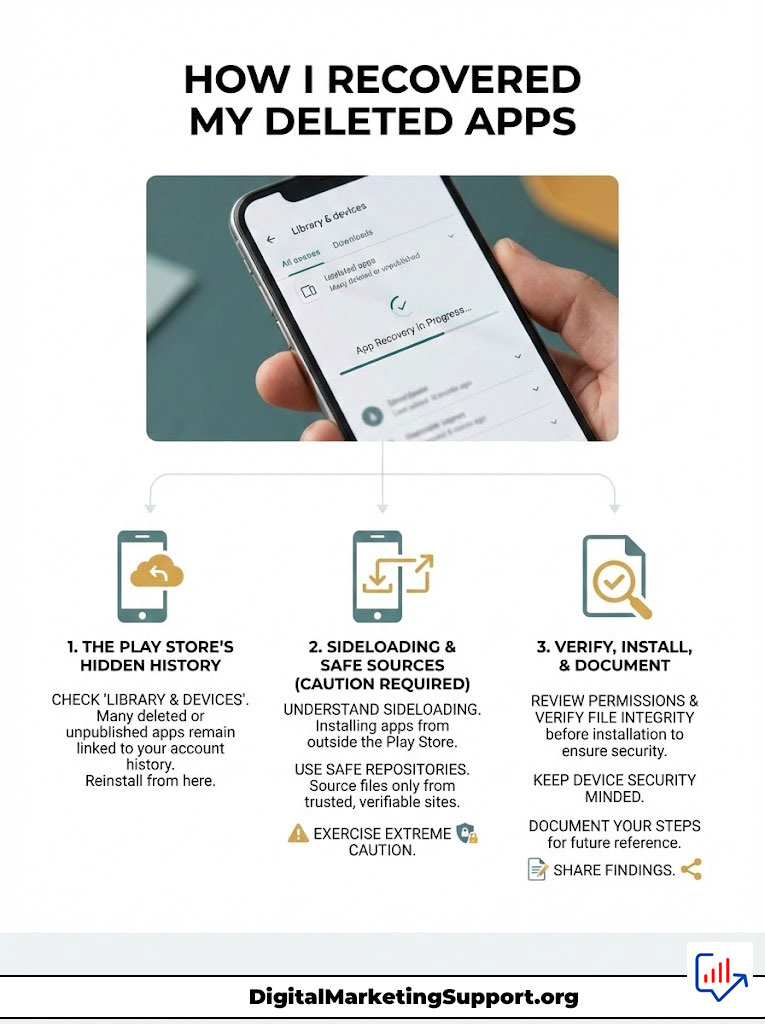
If that fails, you have to leave the safety of Google’s walled garden. I turned to sideloading, a method that sounds technical but is actually quite simple. However, you must be extremely careful about where you get your files.
The Safe Repositories
- APKMirror: I only use this site because they cryptographically verify every file signature.
- F-Droid: This is my go-to for open-source tools that respect privacy.
- Aurora Store: A genius client that lets you download older versions of apps anonymously.
Store Comparison: Where Should You Go?
I stopped relying solely on the Play Store years ago. Here is how the alternatives stack up against the giant.
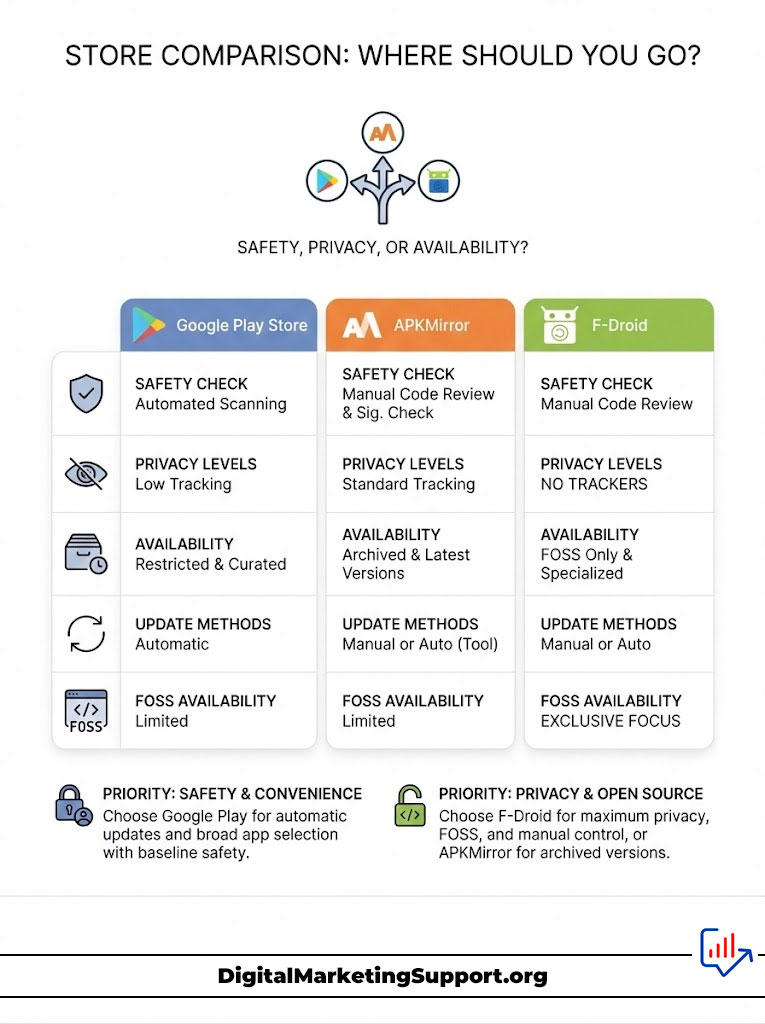
| Feature | Google Play Store | APKMirror | F-Droid |
|---|---|---|---|
| Safety Check | Automated Scanning | Signature Verification | Manual Code Review |
| Privacy | Low (Tracking) | Medium | High (No Trackers) |
| Availability | Restricted | Archived Versions | FOSS Only |
| Updates | Automatic | Manual | Manual/Auto |
The “Zombie” Account Problem
Recently, Google began purging developer accounts that have been dormant for a year. This means perfectly good apps are being deleted simply because the creator moved on. It is a bureaucratic nightmare that punishes users for the developer’s inactivity.
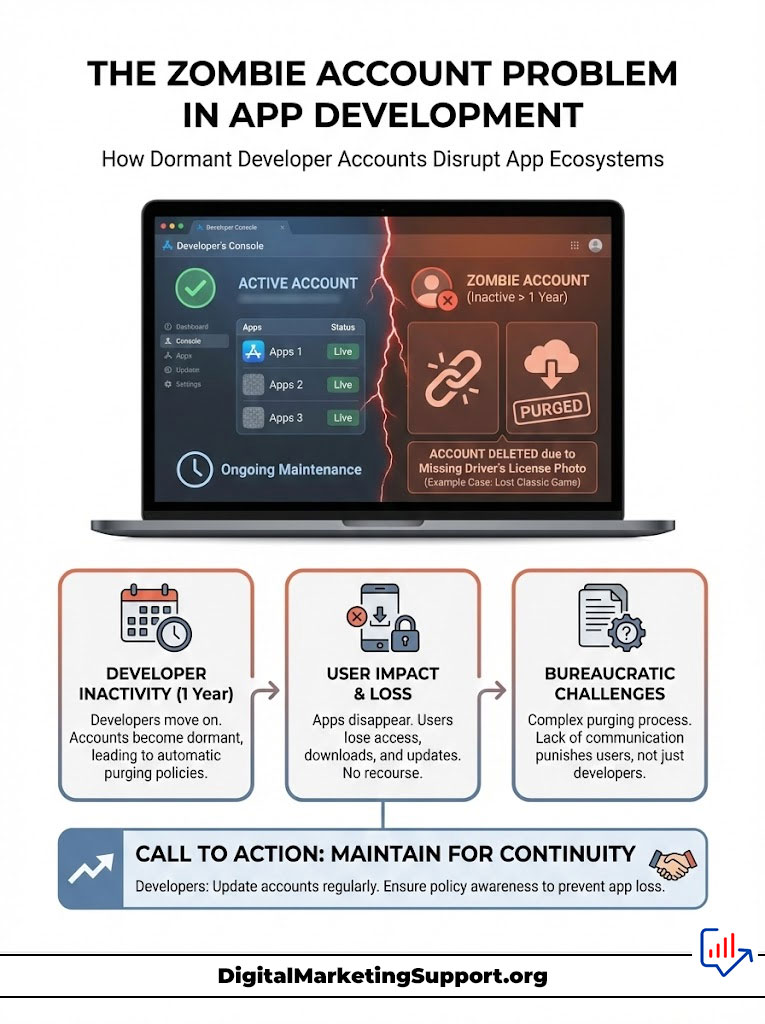
I lost a classic game I had played for five years because of this policy. The app worked perfectly, but the developer didn’t upload a picture of their driver’s license to Google. The result? Eradicated from history.
My “Plan B” Strategy
You cannot trust a single corporation with your digital life. I now backup my essential APK files using a tool called “ML Manager.” I save these files to a local drive, ensuring that no ban wave can touch them.
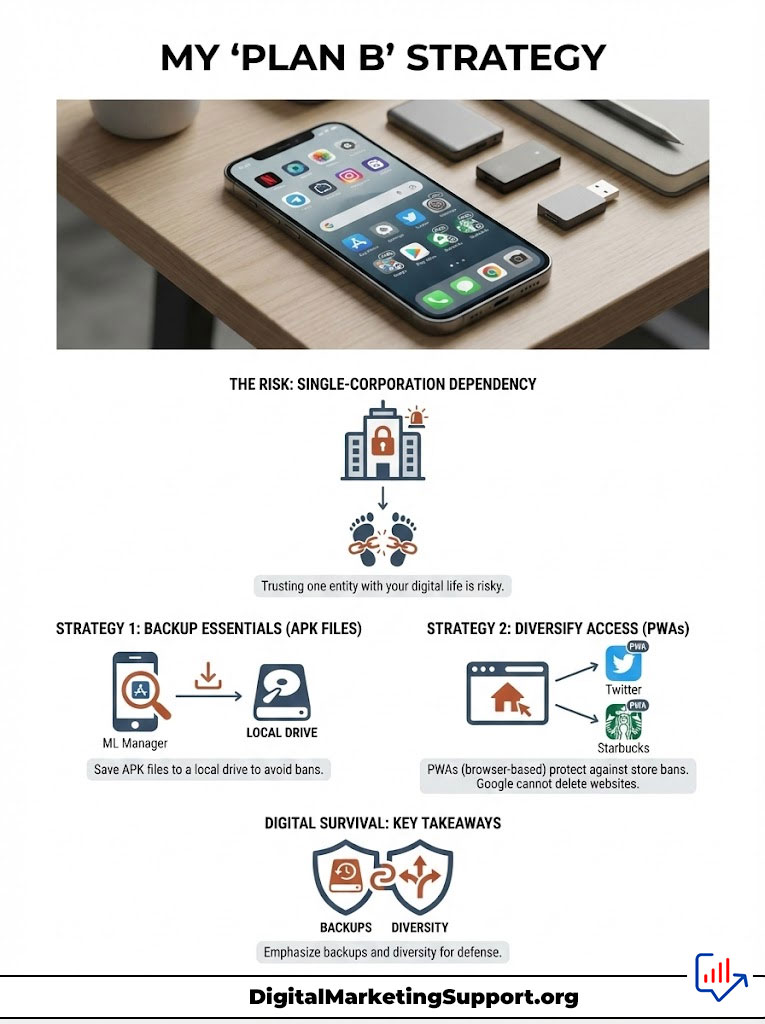
Diversity is your only defense. I use Progressive Web Apps (PWAs) for services like Twitter and Starbucks. Google cannot delete a website from your browser, making this the ultimate loophole against store bans.
Key Takeaways for Survival
- Never disable Play Protect: It is your last line of defense against Anatsa.
- Check your bank: If a PDF app vanishes, review your transaction history immediately.
- Archive your favorites: Download the APKs of apps you can’t live without today.
Frequently Asked Questions
Can I get a refund for a deleted app?
I tried this, and it is difficult. You have to request it manually within 48 hours. If the app was removed for malware, Google might issue an automatic refund, but don’t count on it.
Is it safe to keep using a banned app?
It depends on why it was banned. If it was a policy issue, I keep using it. If it was flagged for malware, I uninstall it immediately and run a virus scan.
Why does Play Protect keep deleting my sideloaded app?
This happens when Google flags the code signature. You can turn off scanning, but I strongly advise against it. It is like taking the lock off your front door.